Mobile Robot Navigation with Sysquake
Sysquake lets you understand intuitively how complex mobile-robot navigation strategies work. As an example, we will consider the potential-field approach, where obstacles are walked round because they are surrounded by a higher "potential" (similar to the height of the ground for a rollerskater) the robot tends to avoid.
| Warning | As we will see with Sysquake, potential-field navigation has drawbacks and is not what we would choose for real applications. It is used here as an example because it is often taught in mobile robotics courses and is a very nice example for Sysquake. Understanding the limitations of an approach is also a domain where Sysquake excels. |
A mobile robot is an autonomous vehicle with a computer which gives it the intelligence to move in its environment to perform tasks. Navigation is the art to make the robot go where it should. The main purposes of navigation are to go to a given point (the goal) and to avoid obstacles. Many problems must be solved: the robot must know from where it starts, at what position it is during the motion, where the obstacles are (which is especially difficult when they are discovered during the motion and can move themselves), where the goal is, and when the goal is actually reached.
In our case, we will suppose that the obstacles are fixed, known in advance, and that the robot knows its position perfectly well. We want an algorithm which tells the robot in which direction to move whatever its current position is.
A simple way to perform this task is the so-called potential-field navigation approach. The potential of a point is a physical value related to the energy needed to reach it. A region with a higher potential than where you are is difficult to reach, because you need more energy. Think of it as the altitude of a landscape, with mountains and valleys. Consider the map below:
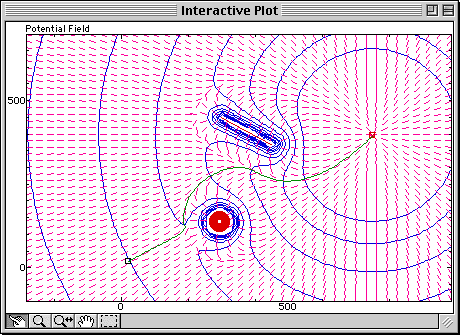
Virtual mountains are put around obstacles (the red disk and line), and an additional term (a large bowl) is put around the goal; the robot follows the steepest path (gradient, represented by small pink lines) from the starting point to the goal. The potential is represented by contour lines which are perpendicular to the gradient. Observe how the obstacles are avoided and how the robot reaches the goal.
Not very clear? That's where Sysquake's interactivity comes to the rescue. Let's move the goal with the mouse (in this Web page, interactivity is replaced with a much coarser animation):
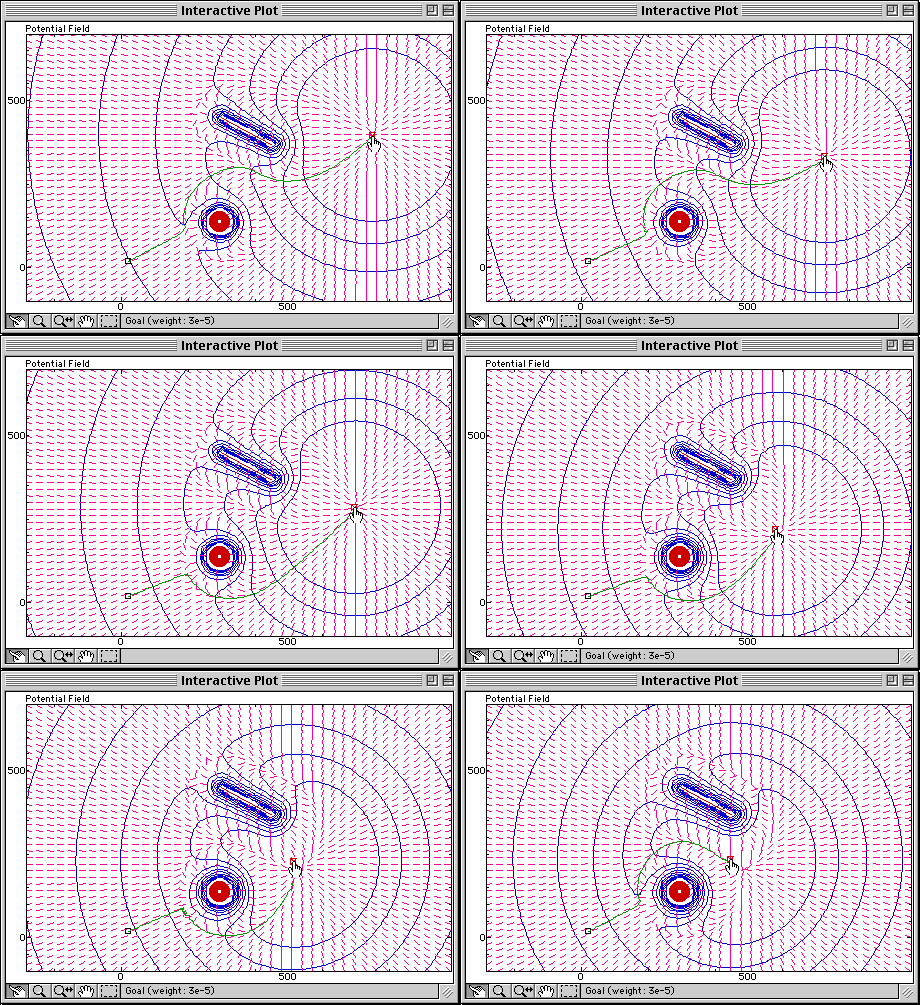
Observe how the potential field is modified and how the trajectory always follows the gradient.
What happens if an obstacle is moved right between the starting point and the goal? With Sysquake, you can move the line with the mouse and observe immediately and continuously how the potential field is modified and what the trajectory becomes:
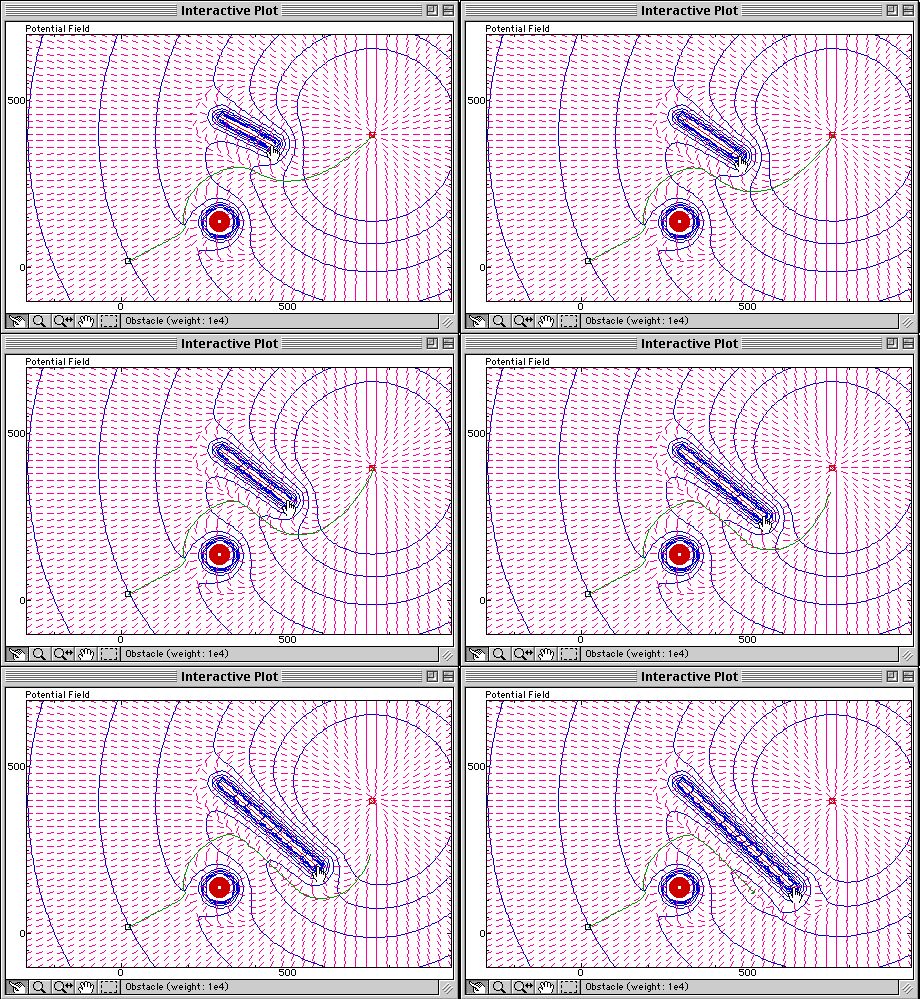
The robot is trapped in a so-called local minimum; the obstacle blocks the way to the goal by creating another hole, with a higher potential than the goal's, but from where the robot couldn't escape without taking a route which would make its potential larger. This is a limitation of plain potential-field navigation.
With Sysquake Pro and Sysquake, you can:
- manipulate graphics yourself the way you want, with much smoother results;
- implement much better navigation algorithms;
- control directly with Sysquake mobile robots such as Khepera or Thymio;
- use features such as multi-level undo, printing, EPS output (Sysquake only), etc.
- load other applications in domains such as automatic control, signal processing, physics, demography, etc.
- develop your own applications by writing script files.
You can download Sysquake now.